
How to Redeem JioMart E-Gift Card
Redeeming a JioMart E-Gift Card is quick and simple. JioMart gift cards let you shop for groceries, daily essentials, electronics, and more while enjoying extra savings. Whether you received a JioMart e-gift card as a gift or purchased one for smart shopping, you can easily redeem it online during checkout. Follow the step-by-step redemption process to use your JioMart gift card balance seamlessly on eligible orders and make the most of your savings.
Steps to Redeem JioMart E-Gift Card
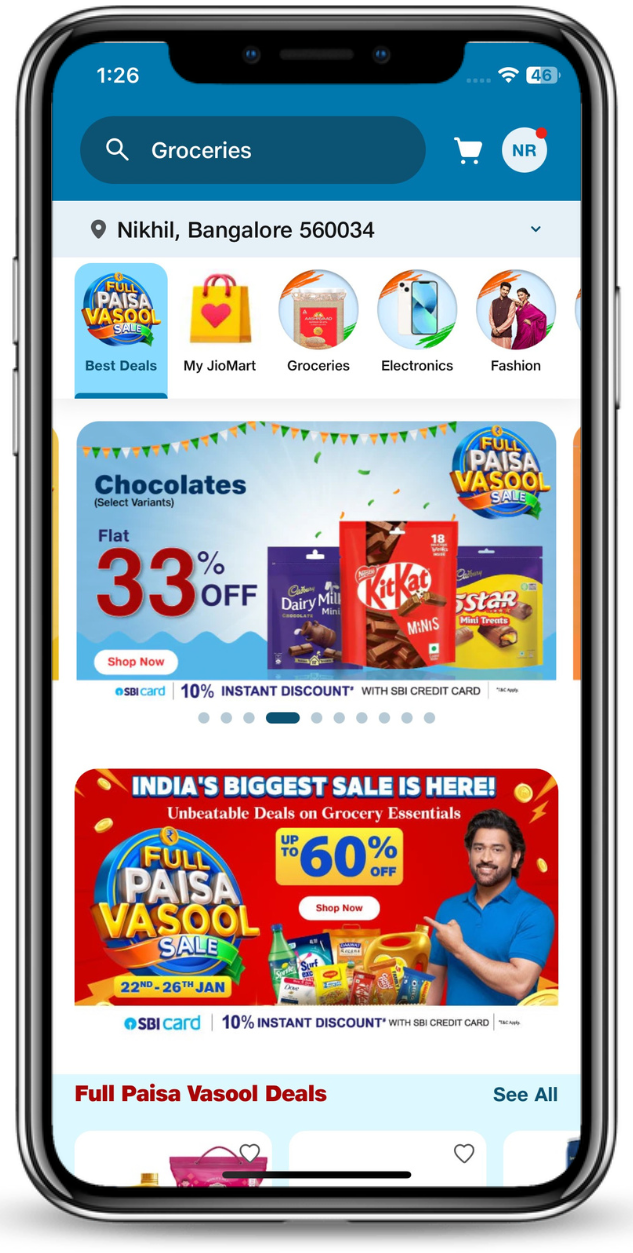
Log on to JioMart App or Web
Log on to JioMart to begin the redemption process. Make sure you’re signed in to your account before continuing.
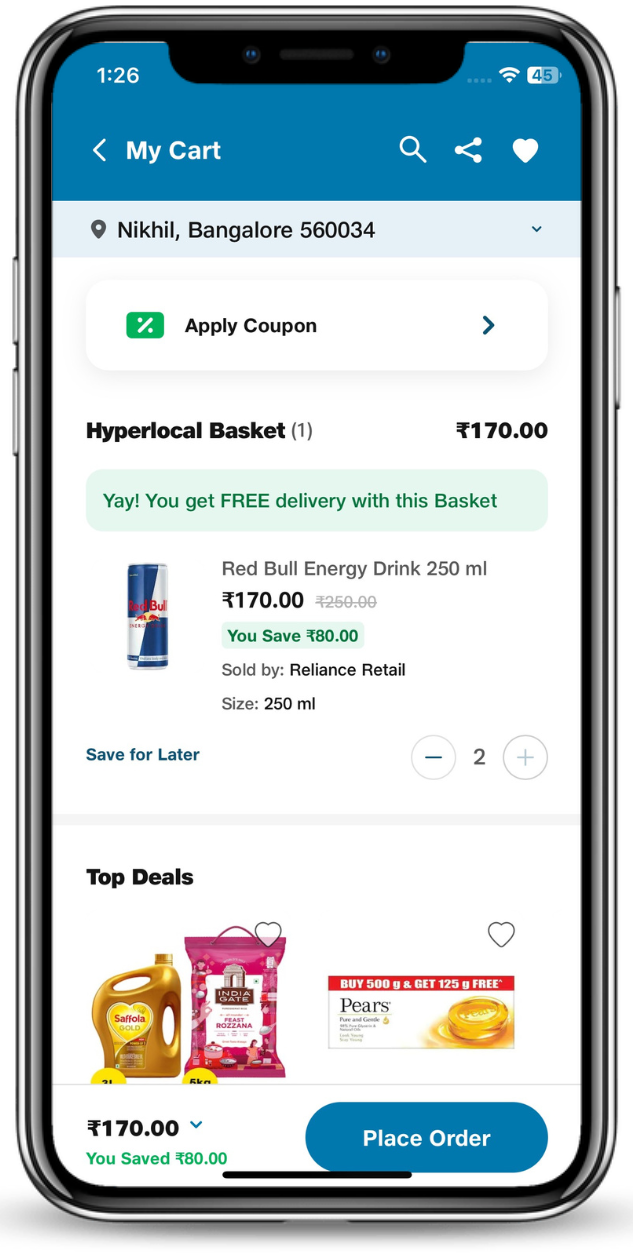
Select the product you'd like to purchase & Click on "Place order"
Browse through the wide range of products available on JioMart. Add your desired items to the cart and proceed to checkout by clicking on "Place order" button.
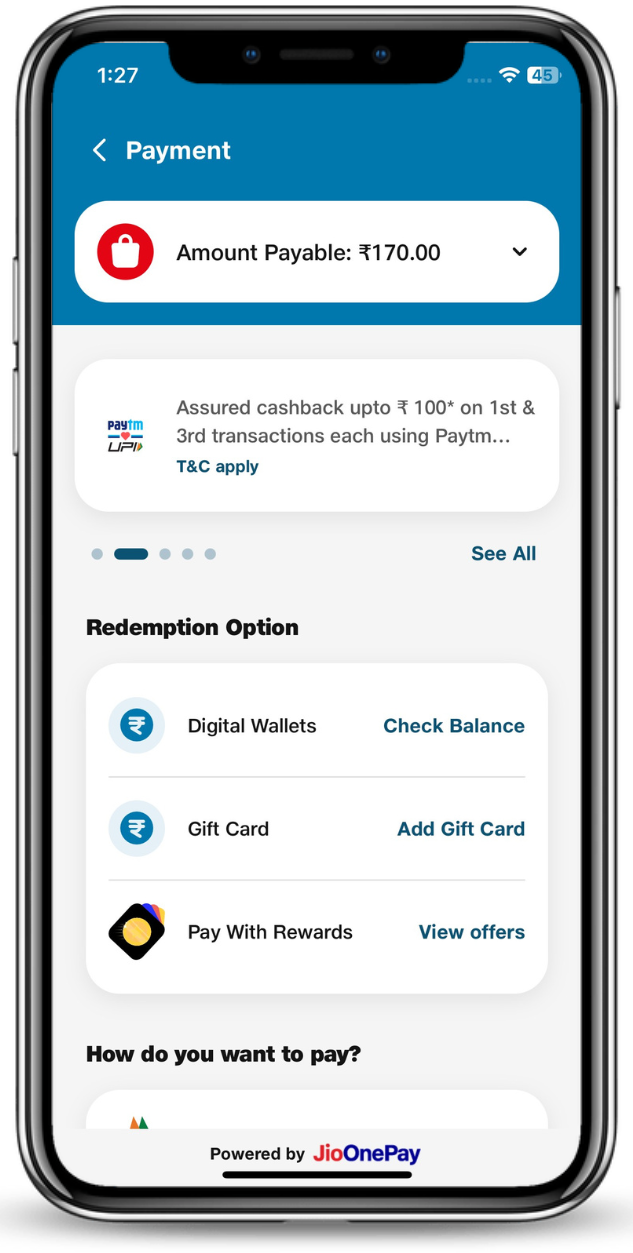
Click on "Gift Card" under Redemptions Options
At the checkout page, you'll find multiple payment options. Look for the "Redemptions Options" section and select "Gift Card" as your preferred payment method.
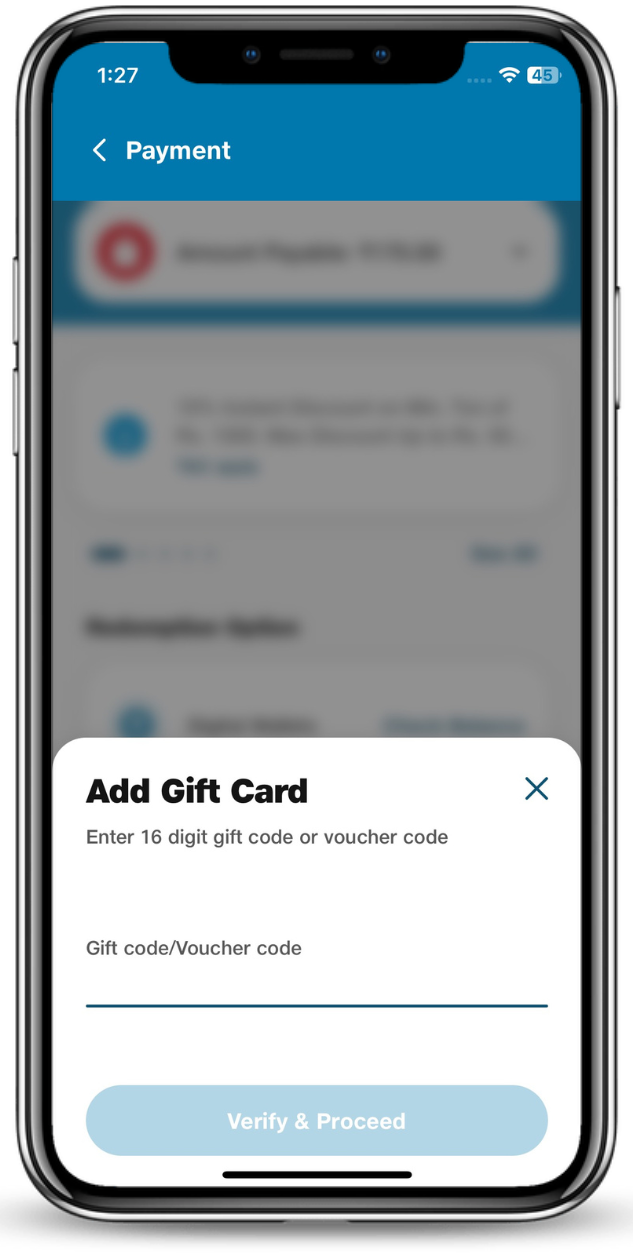
Enter your JioMart E-Gift Card Number & PIN
Enter your 16-digit JioMart E-Gift Card number and the PIN code. Click on "Apply" to redeem the gift card amount. The balance will be automatically deducted from your order total.
Watch our step-by-step video on how to redeem your JioMart E-Gift Card and use it easily on your next JioMart order.