How to Use Google Play Redeem Code
Google Play gift cards allow users to buy games, apps, books, and movies from the Google Play store. They offer the convenience of prepaid credit and can help users save up to 4% when purchased at discounted rates, giving more value for your money while enjoying diverse digital content.
Steps to Use Google Play Redeem Code
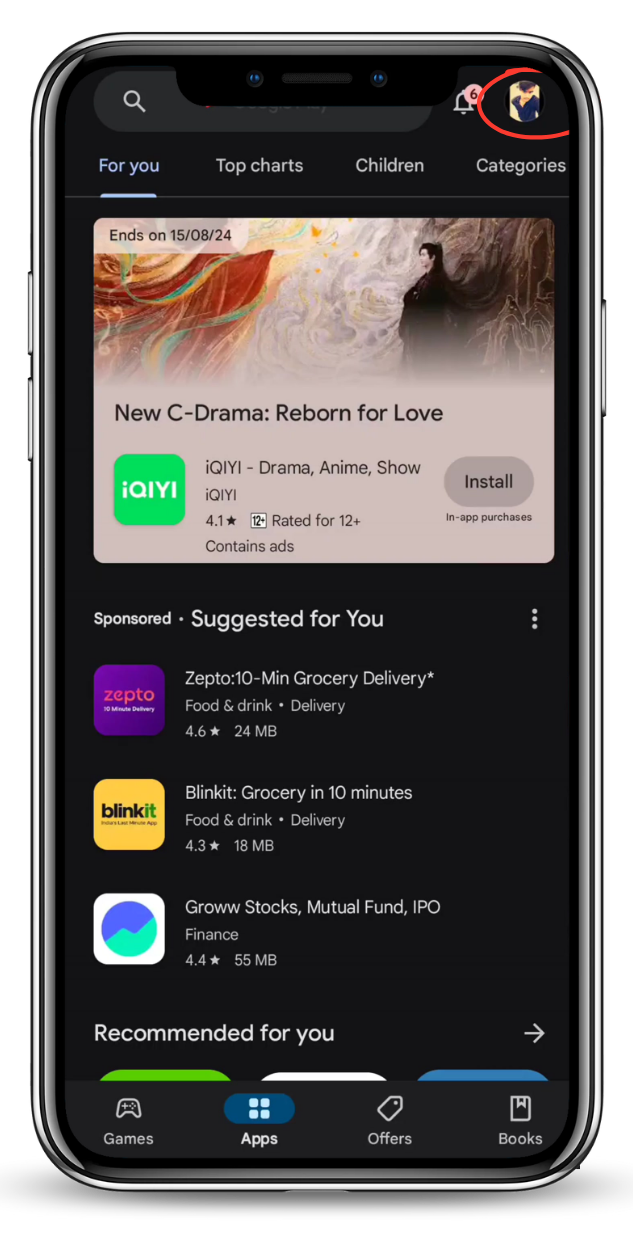
Click on your profile icon in the top right corner to proceed with the next steps to redeem your code. Make sure you're signed in to your account.
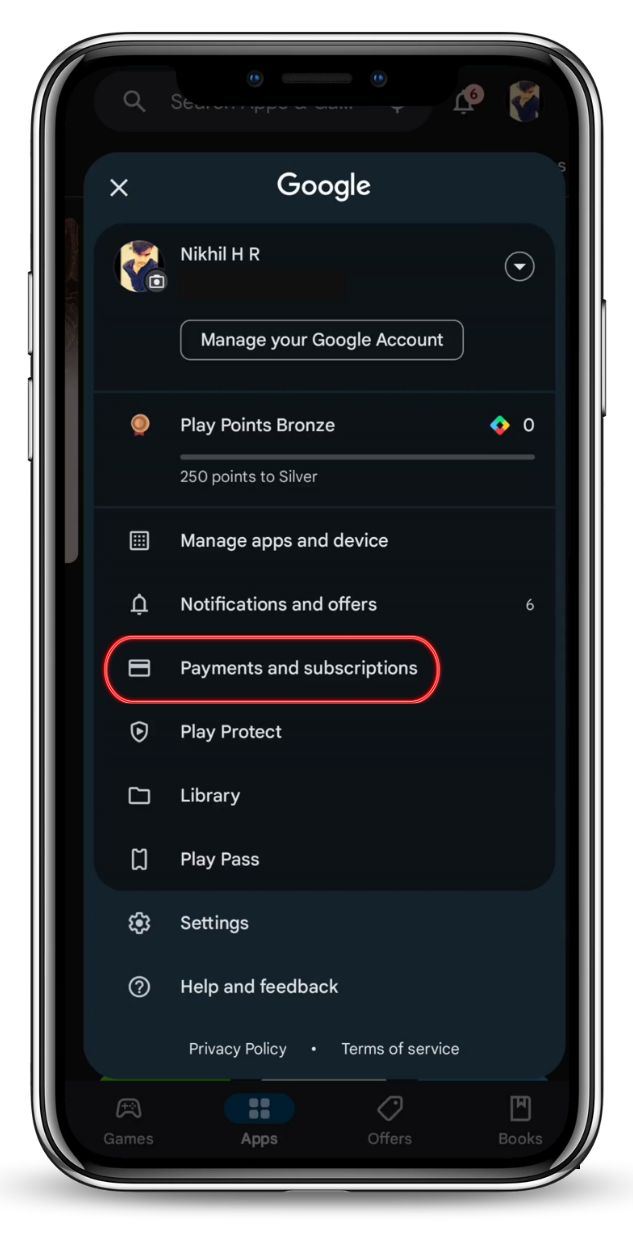
Once you have logged into your account, navigate to the "Payments and Subscriptions" section. This is where you can manage your payment methods, subscriptions, and redeem codes.
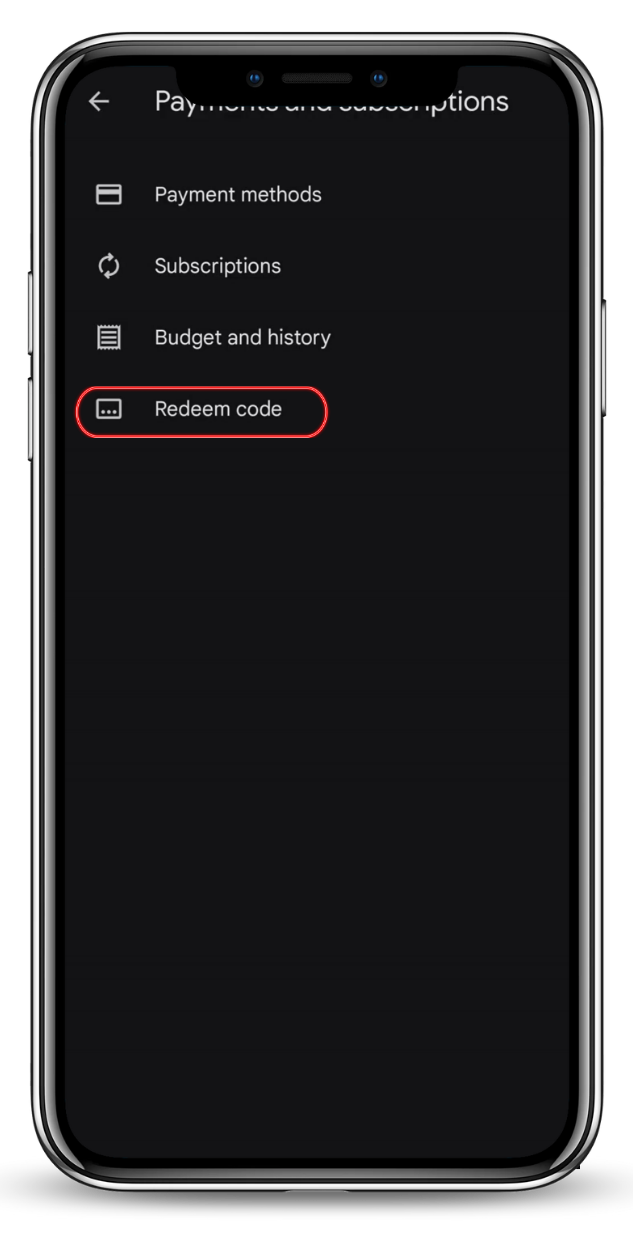
Once you are in the "Payments and Subscriptions" section, locate the "Redeem" button. Click on it to enter your redeem code and apply it to your account.
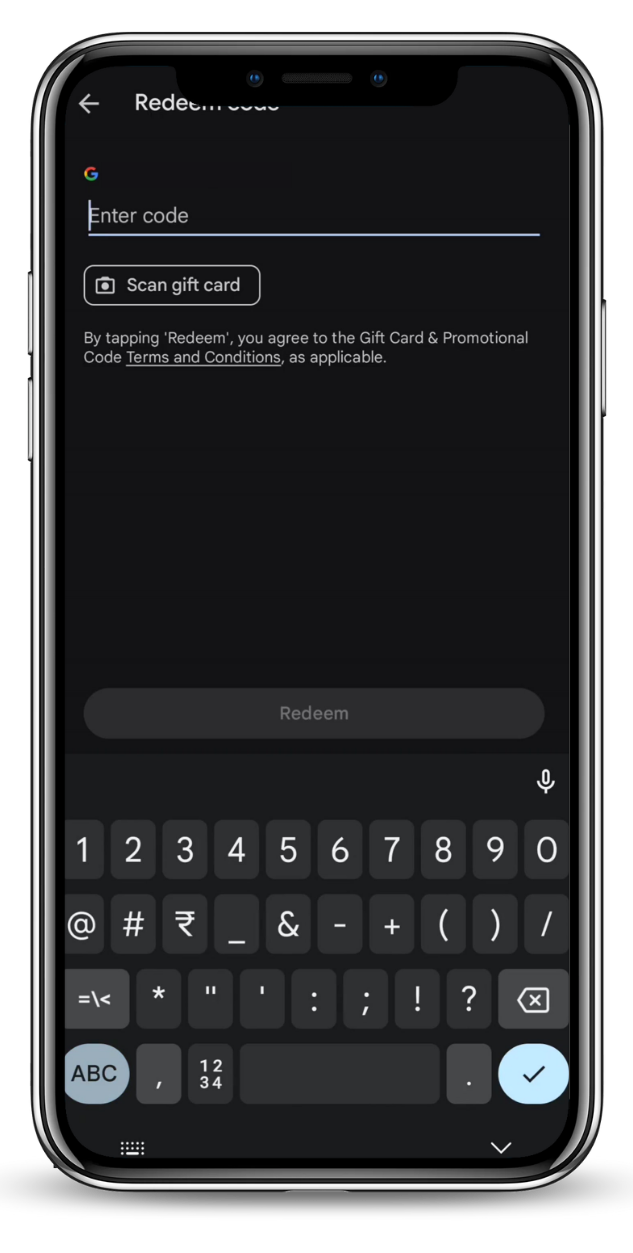
In this step, you will enter the Gift Code Number that you received. Make sure to type it exactly as shown to avoid any errors. Once entered, click "Redeem" to apply the code to your account.