How to Use Amazon Pay E-Gift Card?
Amazon Pay E-Gift cards allow users to purchase a wide variety of products and services on Amazon. It can be used to buy everything from books and electronics to clothing and household goods. These E-Gift cards provide a hassle-free shopping experience. Perfect for gifting on special occasions or for personal use, Amazon Pay eGift cards bring value and flexibility to your online shopping experience, allowing you to enjoy diverse products with ease.
Steps to Use Amazon Pay E-Gift Card.
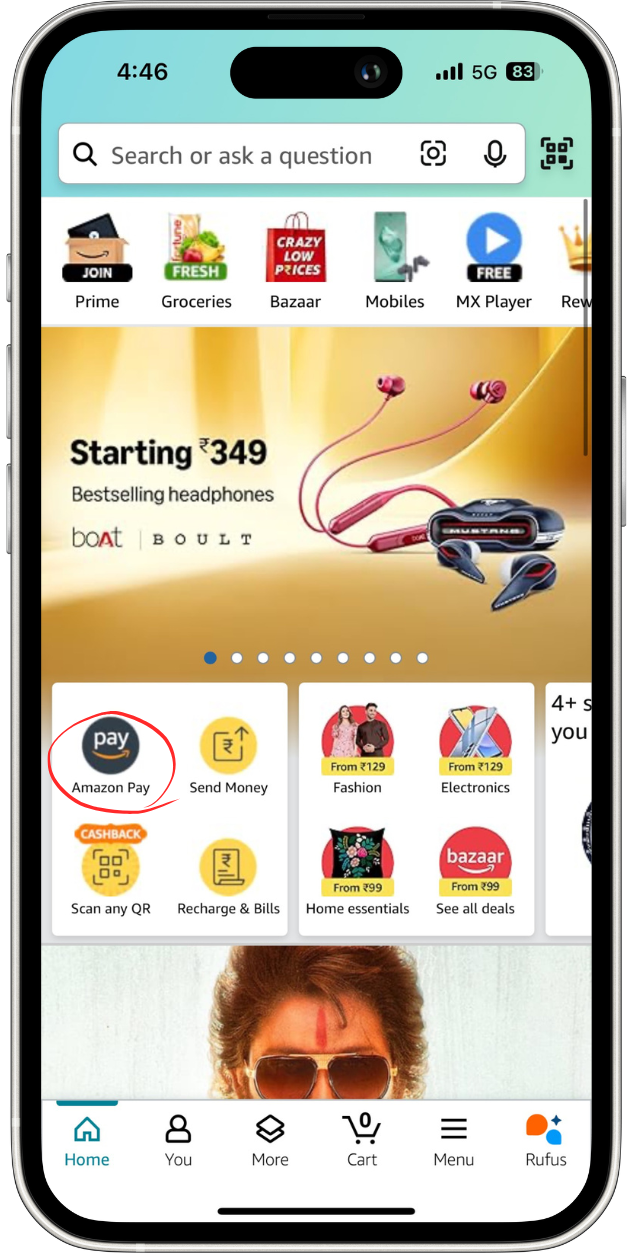
Log in to your Amazon account and click on "Amazon Pay" in the main menu to proceed with the next steps.
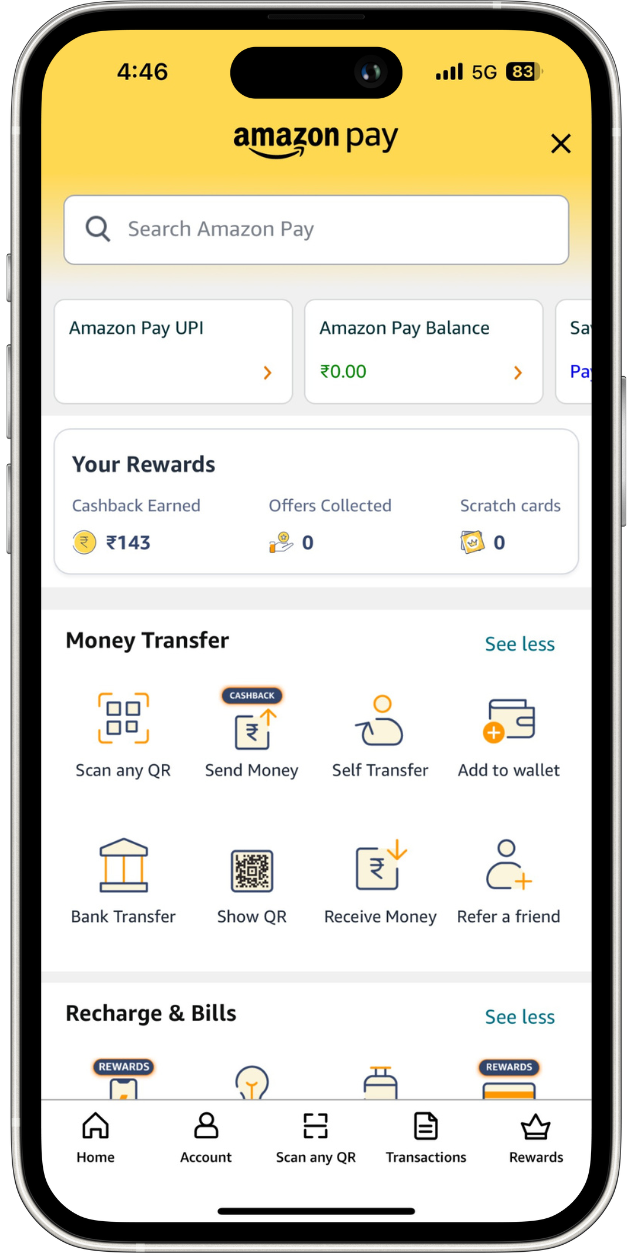
Once you are in the Amazon Pay section, scroll down to "Gift Cards & Vouchers."
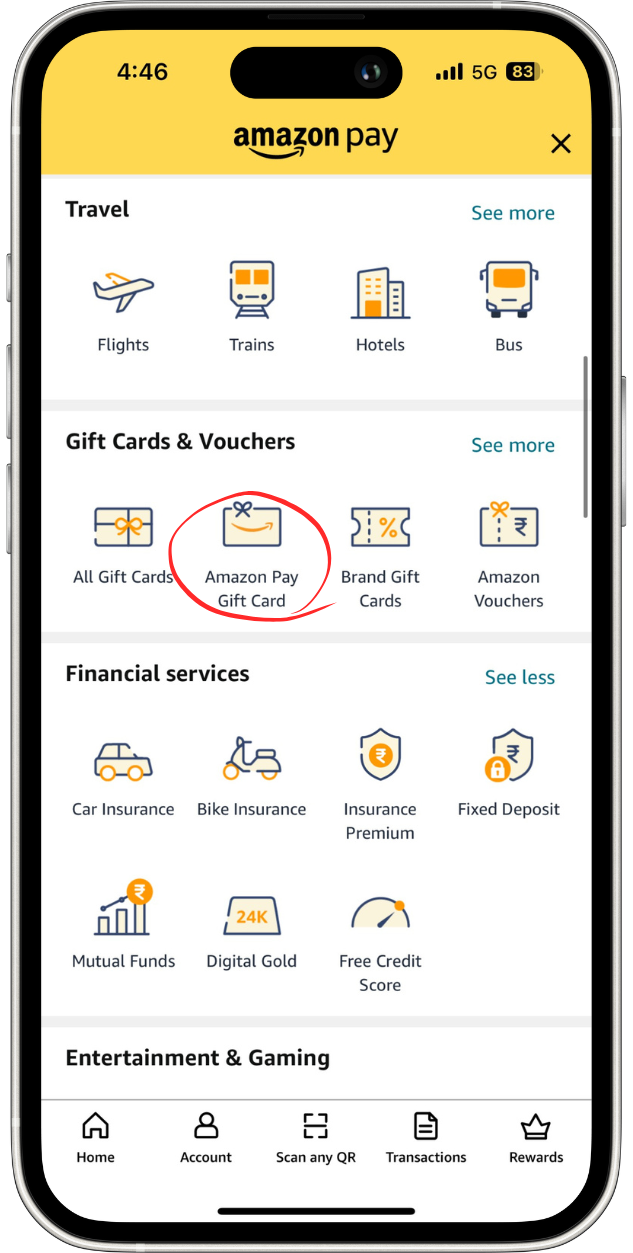
Under "Gift Cards & Vouchers," click on "Amazon Pay Gift Card."
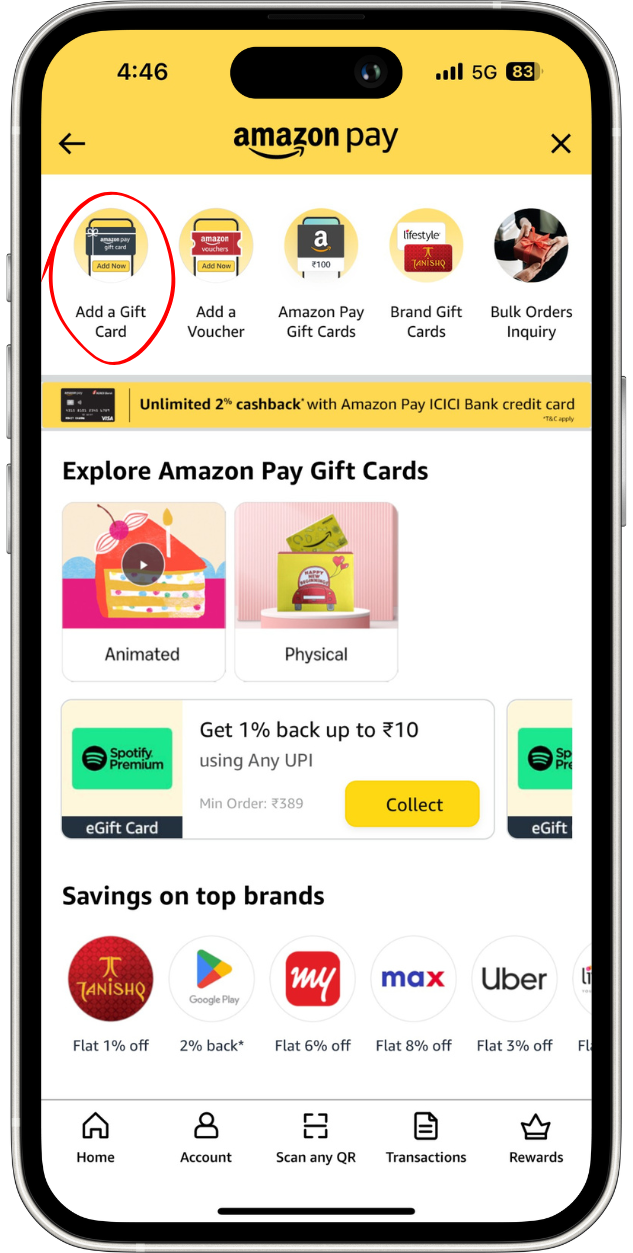
In the Amazon Pay Gift Card section, click on "Add a Gift Card" to enter your gift card code and redeem it for your purchases.
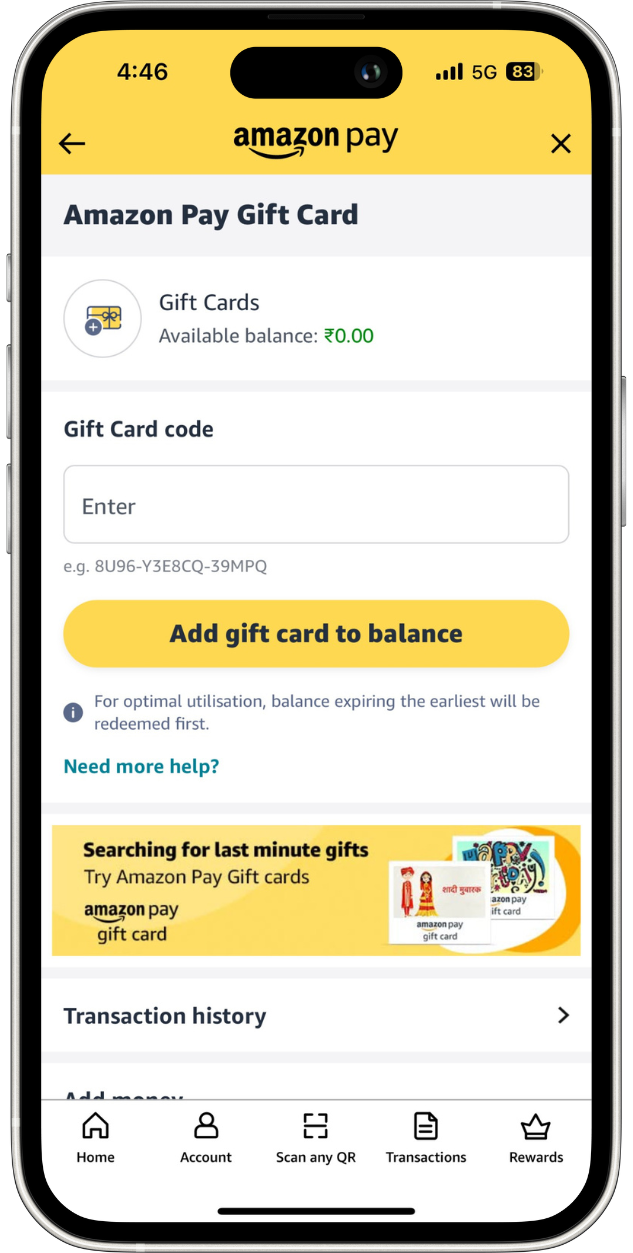
Enter the Gift Code Number that you received. Once entered, click "Add gift card to balance" to apply the code to your account.