


How to Use Myntra E-Gift Card?
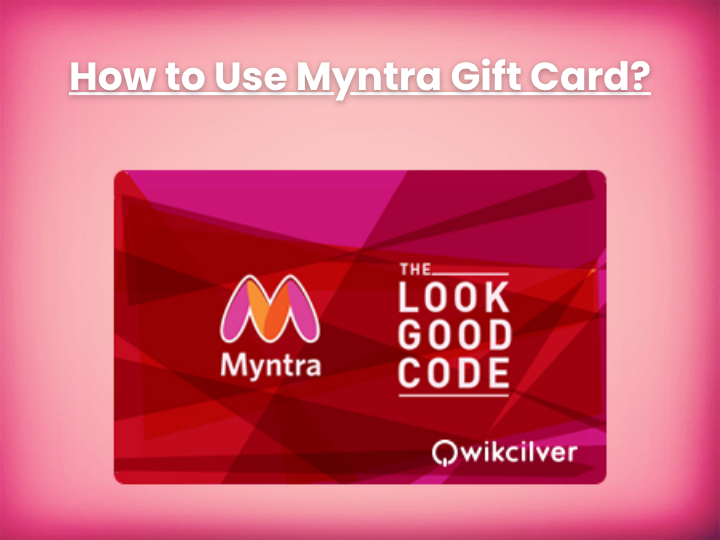
Myntra Gift Cards enable users to shop for an unparalleled selection of fashion, beauty, and lifestyle products, making it easy to discover top brands and high-quality items directly from the Myntra store. As an added bonus, users can enjoy 6.5% back in Flipkart SuperCoins when purchasing Myntra Gift Cards. This unique offer provides greater value for your money, ensuring that each purchase contributes to future savings while exploring Myntra's extensive range of trendy and premium products.
Steps to redeem Myntra E-Gift Card.
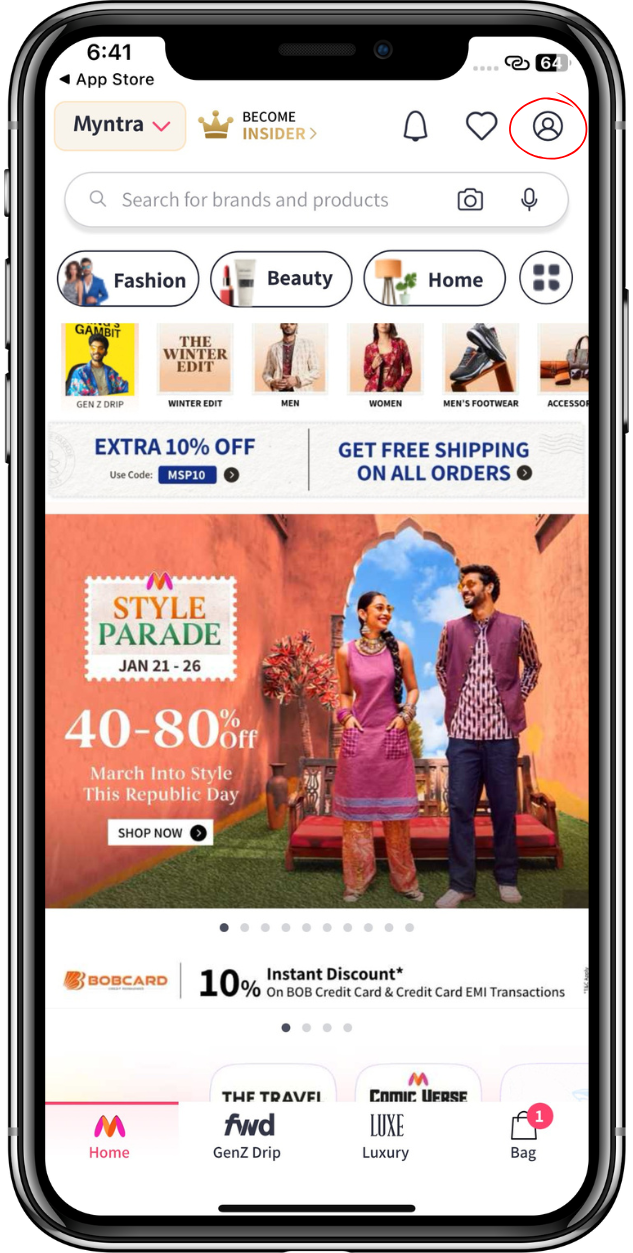
Log on to Myntra and click on the profile icon at the top of the screen to proceed with the next steps to redeem your code. Make sure you're signed in to your account.
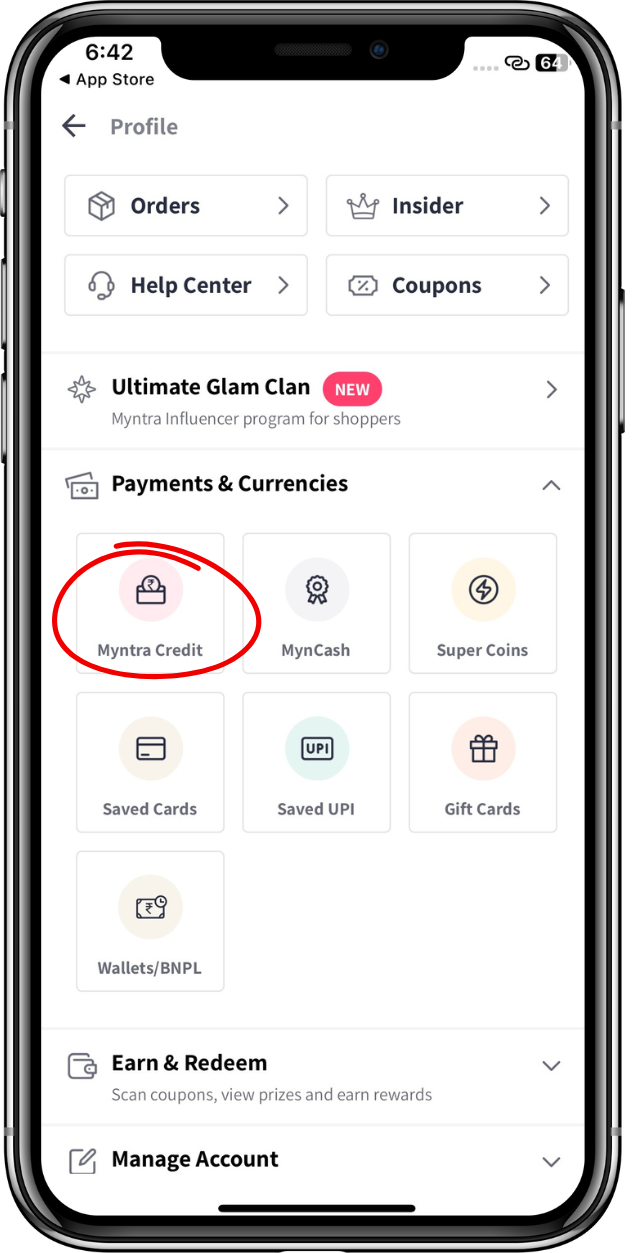
Once you are on the account section, go to "Payments & Currencies" and click on "Myntra credit".
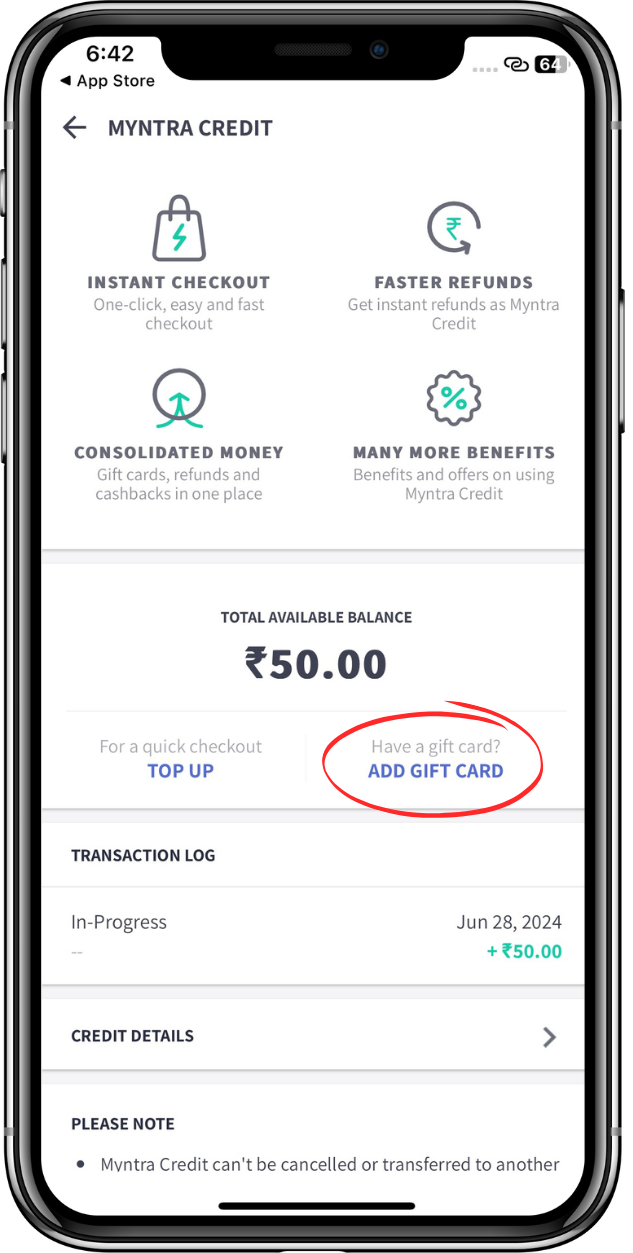
Click on " Add a gift card" to redeem your gift cards.
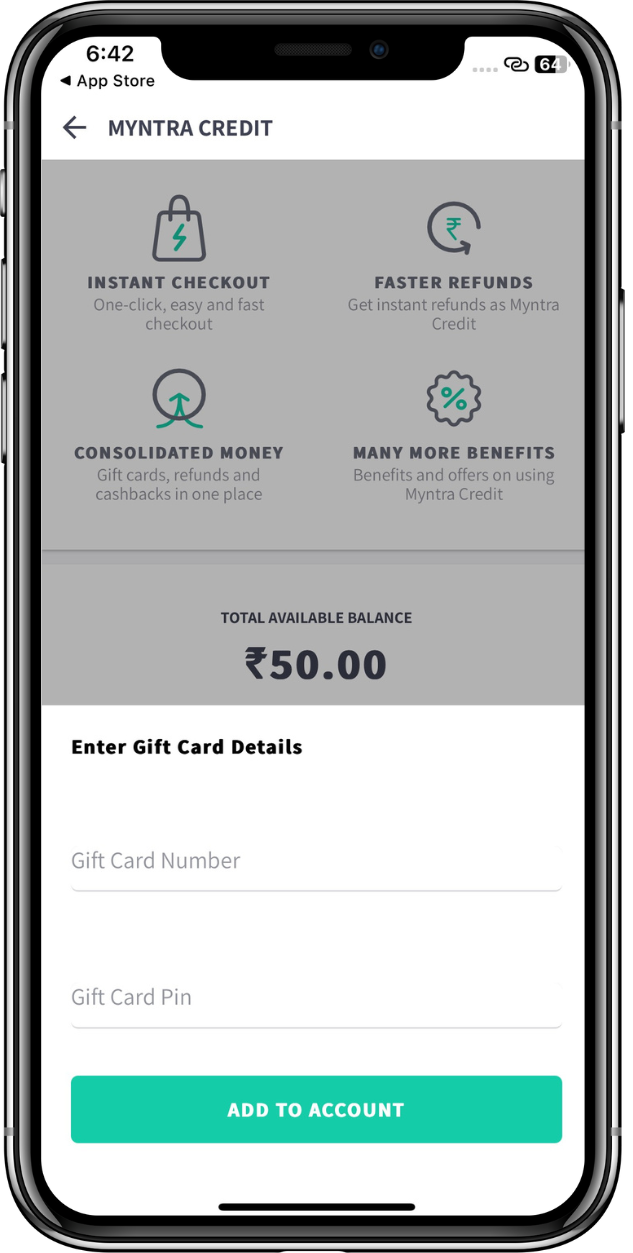
Enter the Gift Card Number & Pin that you received. Once entered, click "Add to To Account" to add Gift Card to your account.

Use Code : MYNWL65