




PhonePe E-Gift Card
The PhonePe Gift Card is a digital prepaid card that lets you pay for a wide range of services directly through the PhonePe app. Whether you're recharging your mobile, paying utility bills, shopping online, or gifting someone special, this card makes transactions seamless and secure.
Steps to Use PhonePe E-Gift Card.
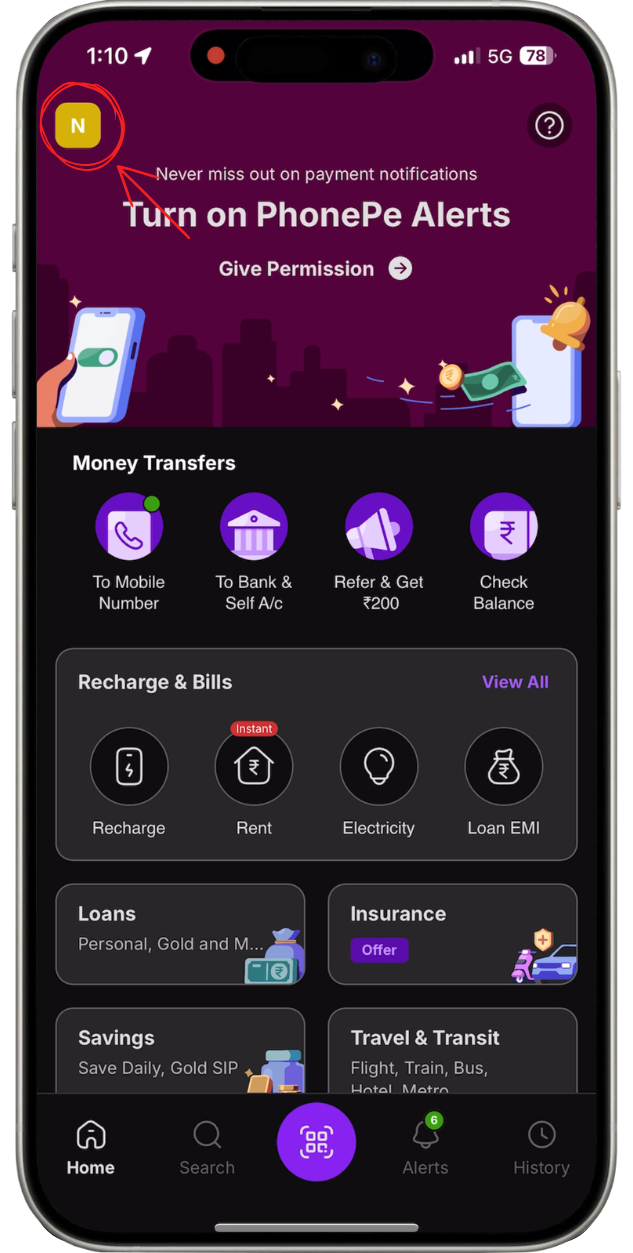
Open the PhonePe app on your mobile device and tap on your Profile icon, which is at the top left corner of your home screen.
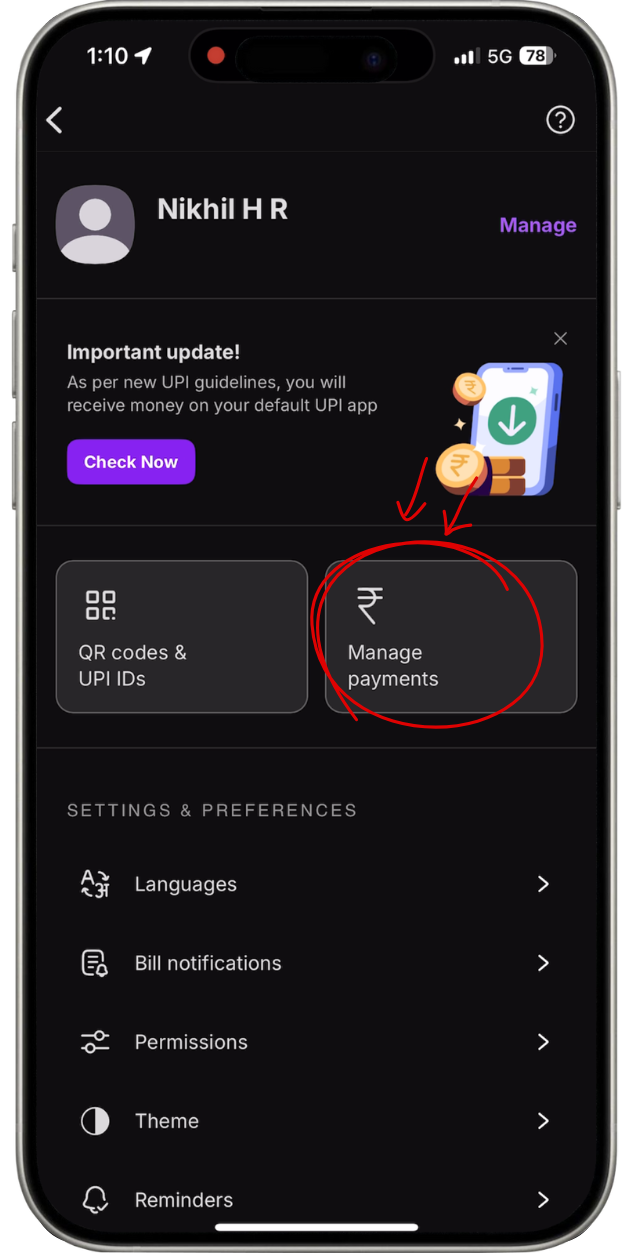
In your profile section, scroll down and click on Manage Payments to access all linked payment options.
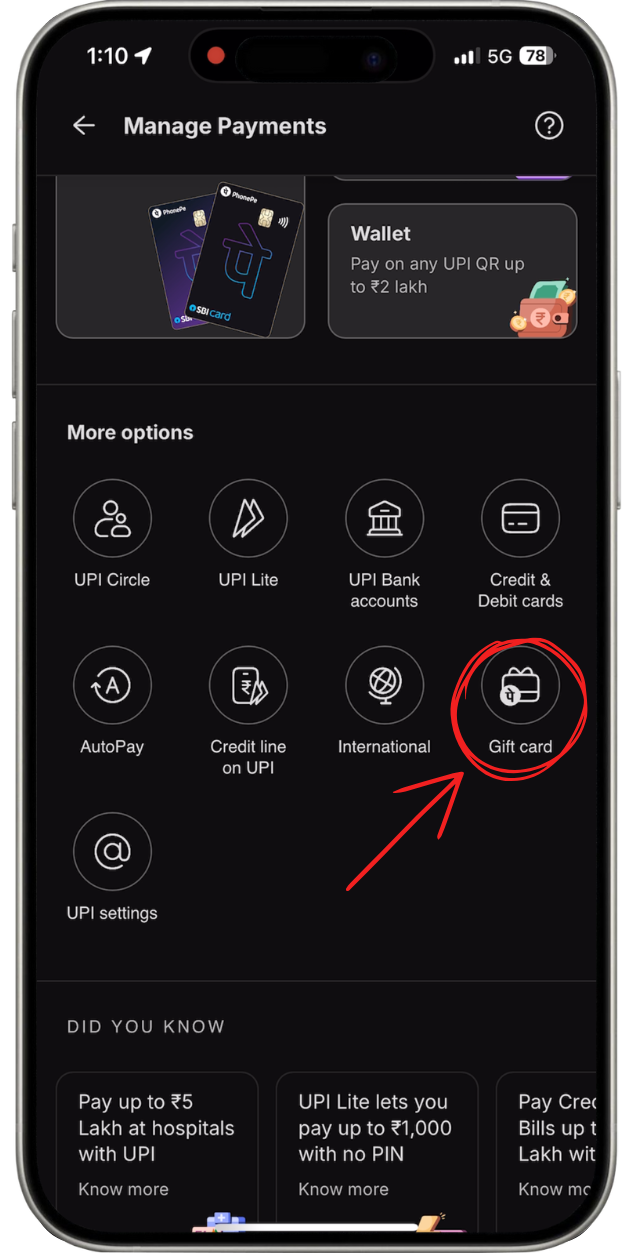
Under Manage Payments, you’ll see a section titled Gift Card, this is where all your gift card actions live.
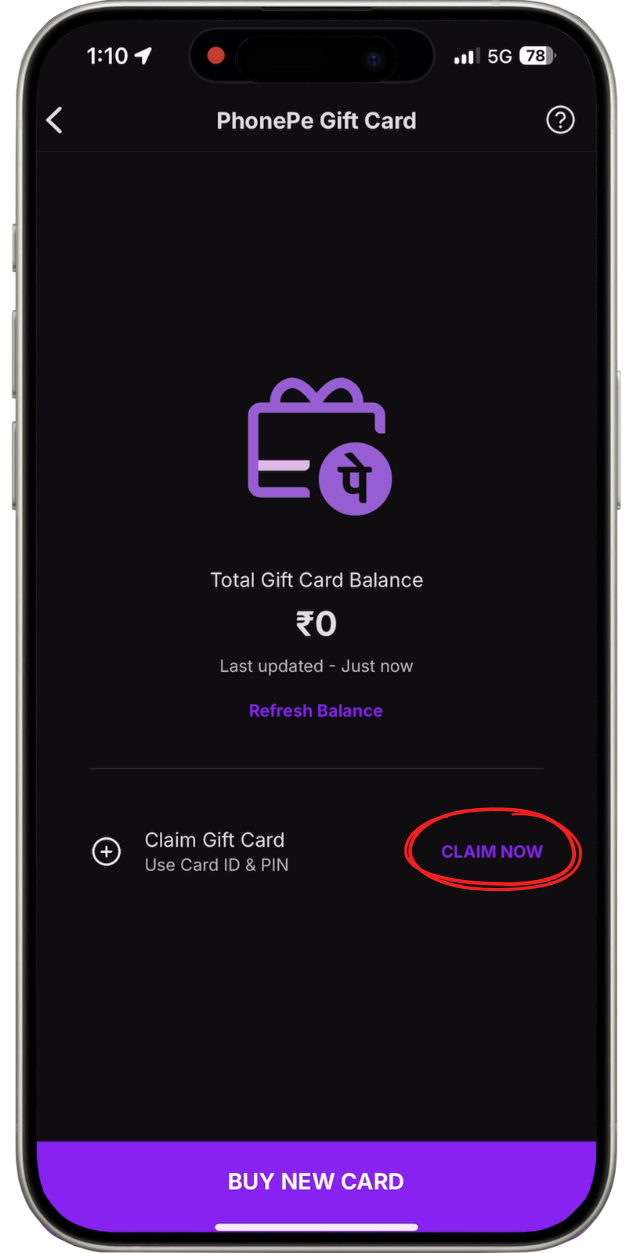
Inside the Gift Card section, tap on Claim Now to begin redeeming your PhonePe e-Gift Card.
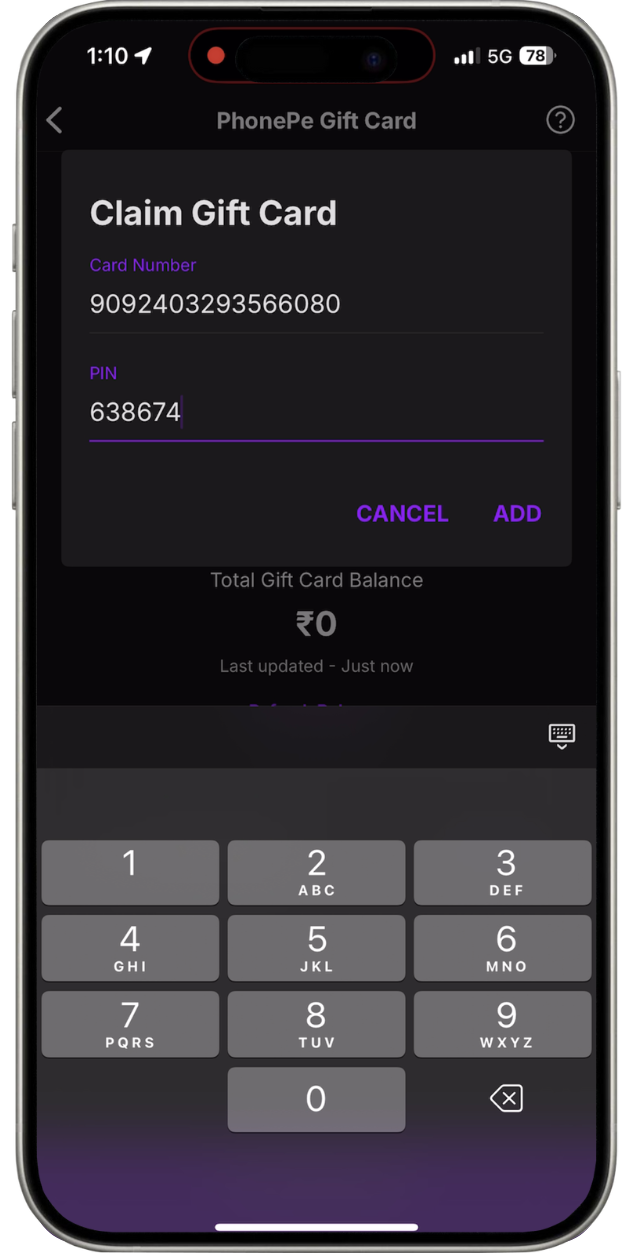
Carefully input your PhonePe Gift Card PIN and Card Number. Double-check to ensure accuracy before proceeding.
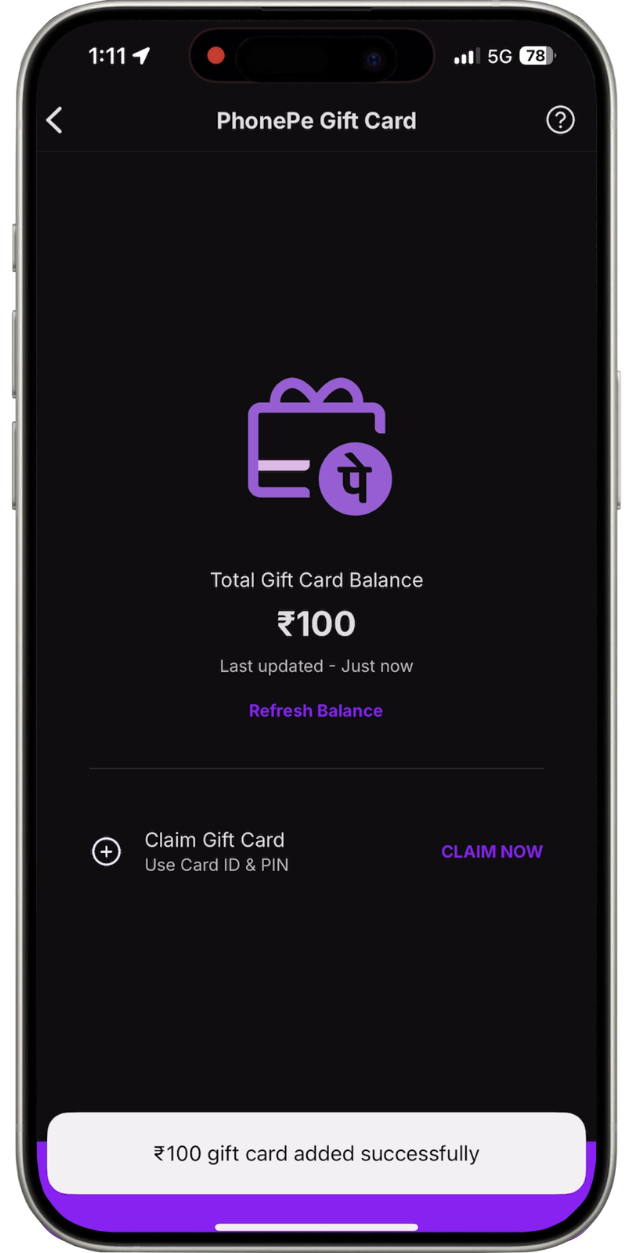
Woohoo!, Your Gift Card is now successfully redeemed.

Use Code: PHONEPE1